

Available on backorder
A Simple, Open Source Tool for Hardware Hacking
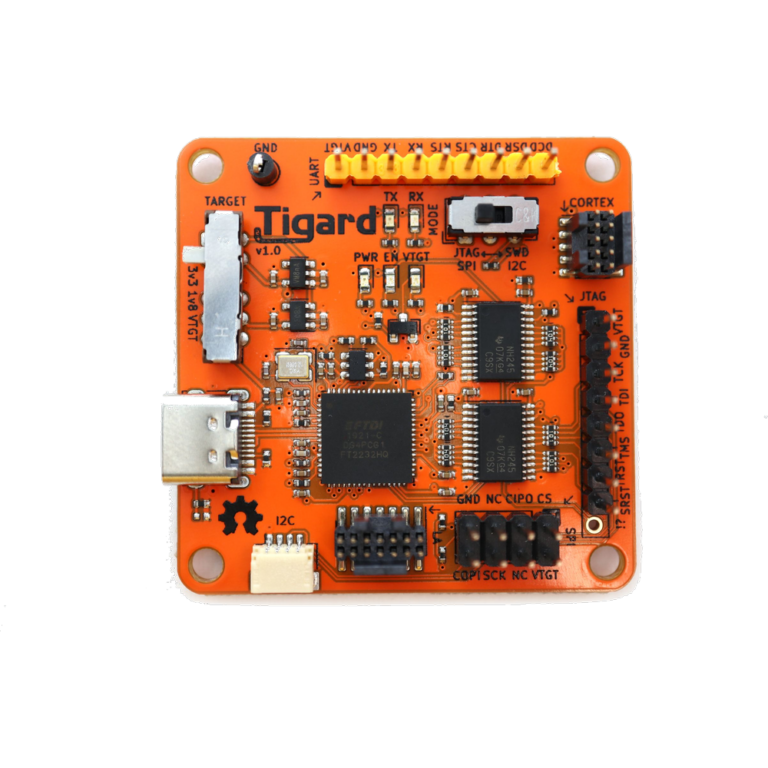
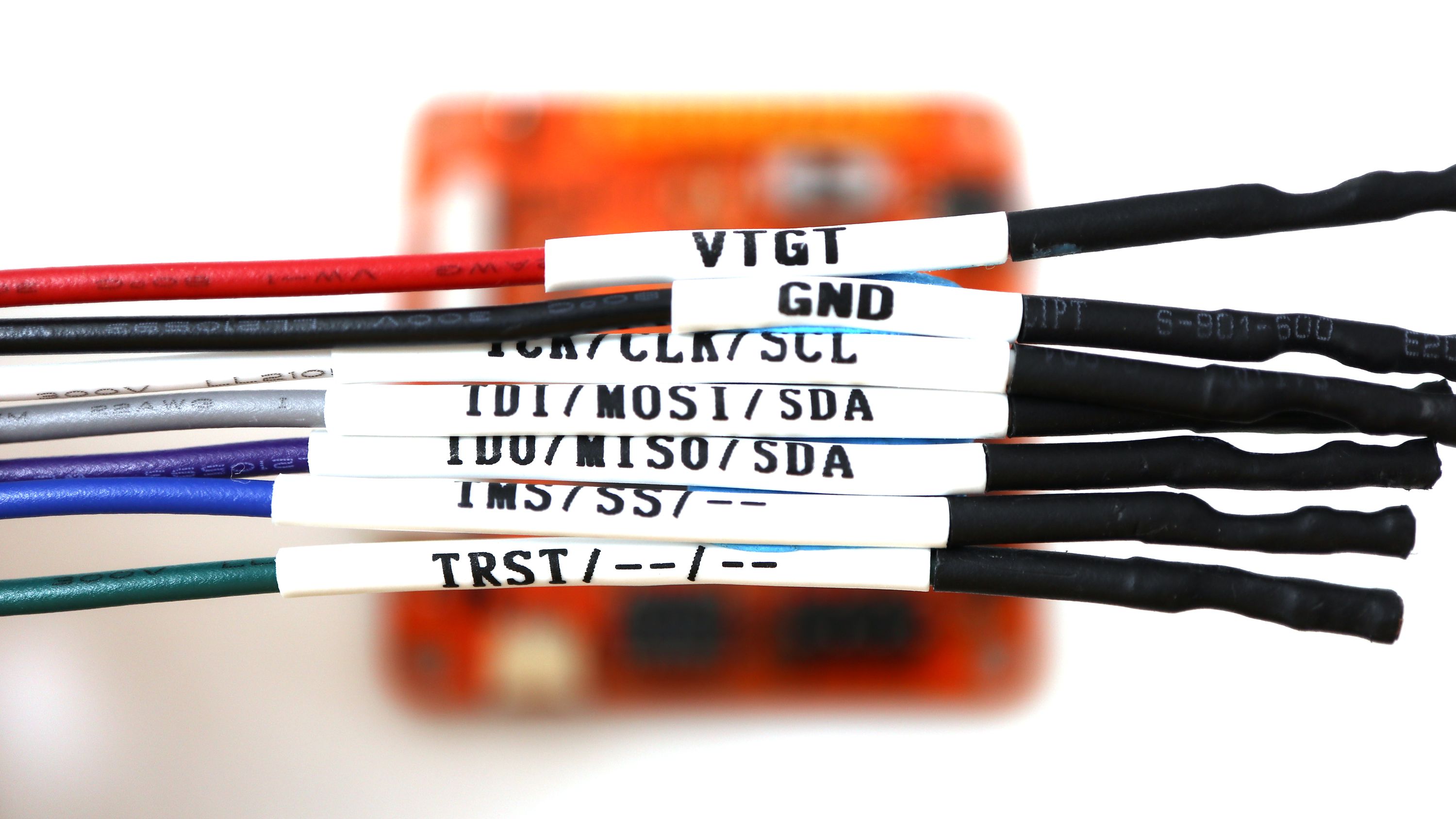
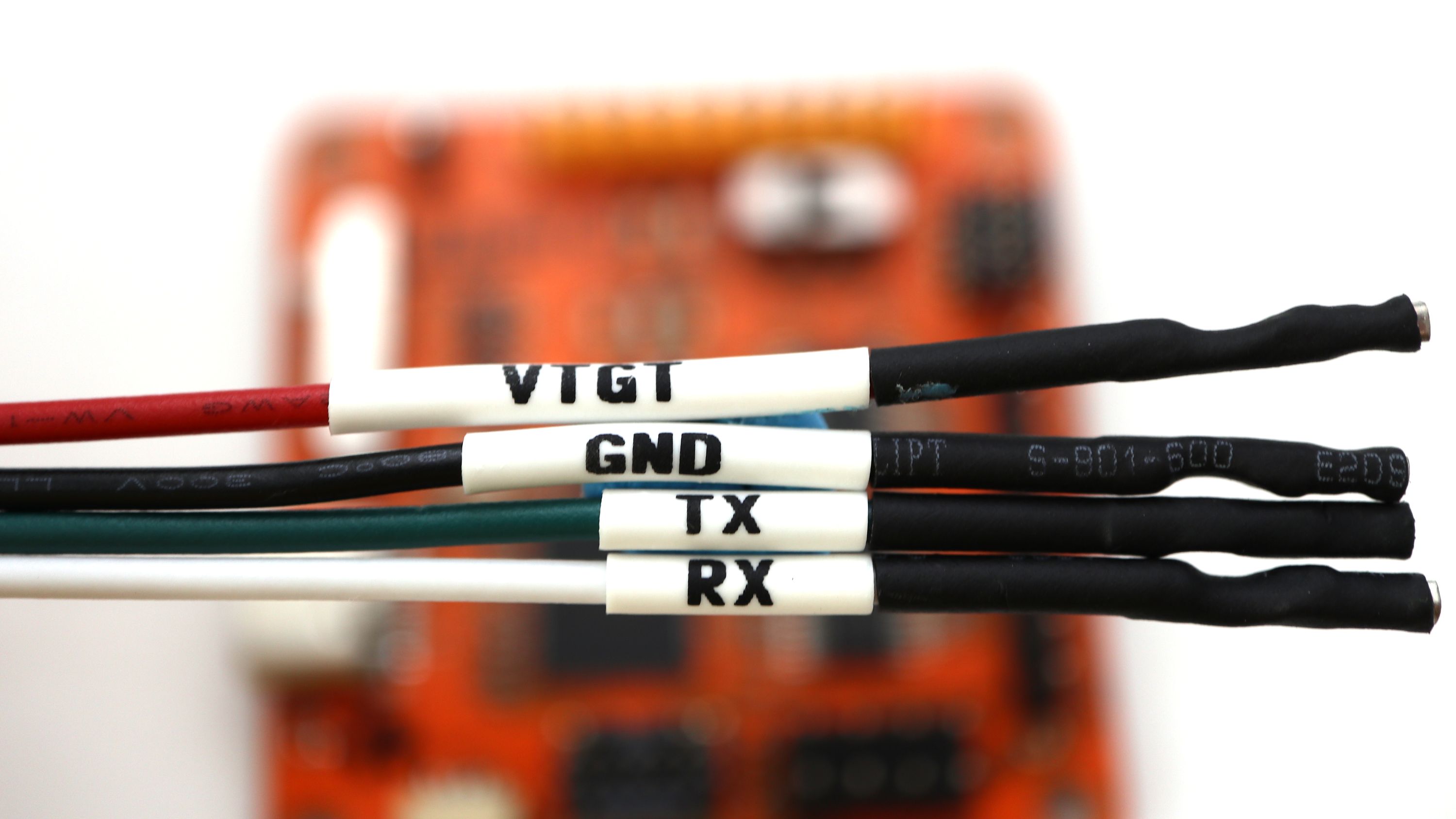
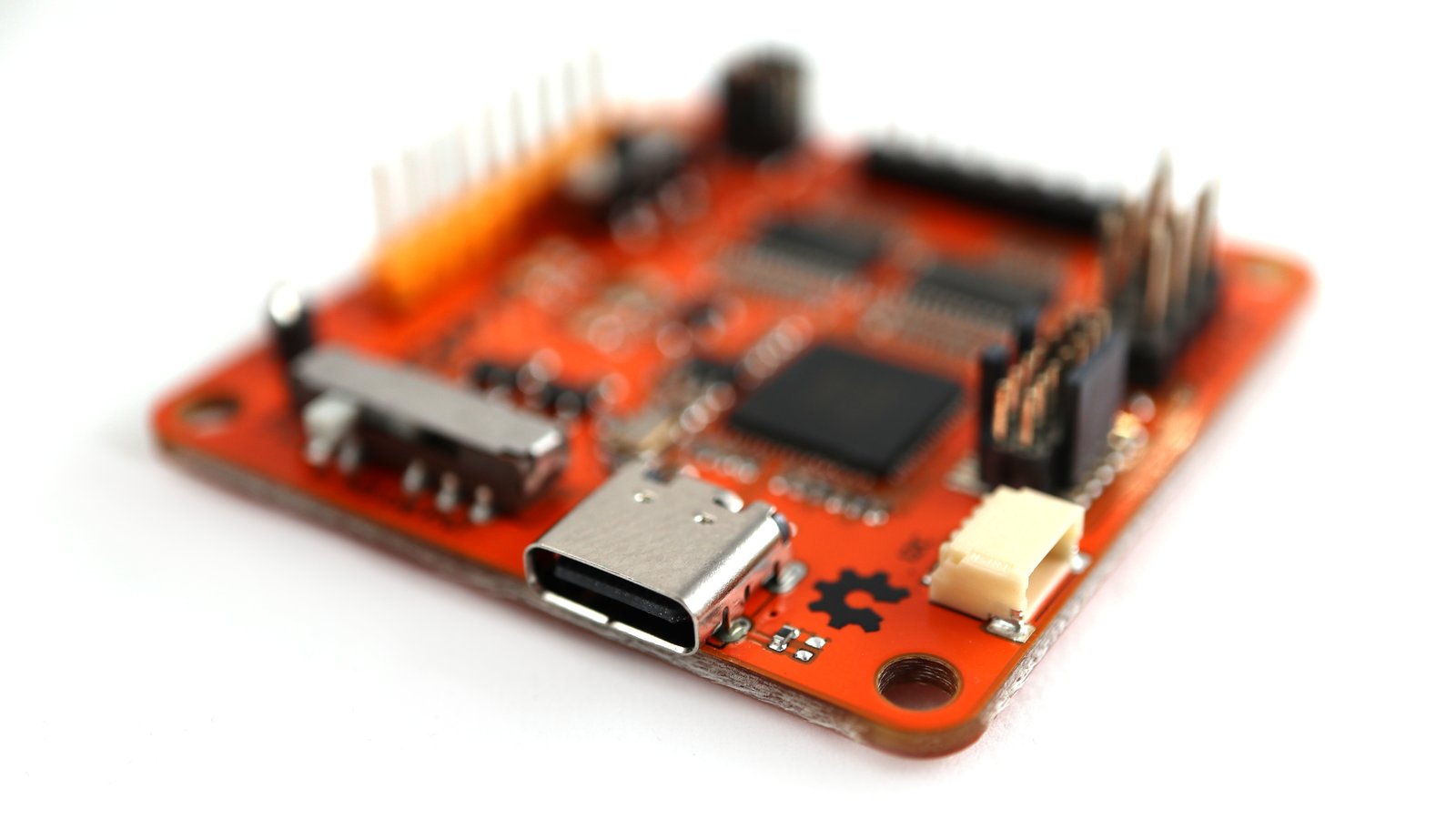
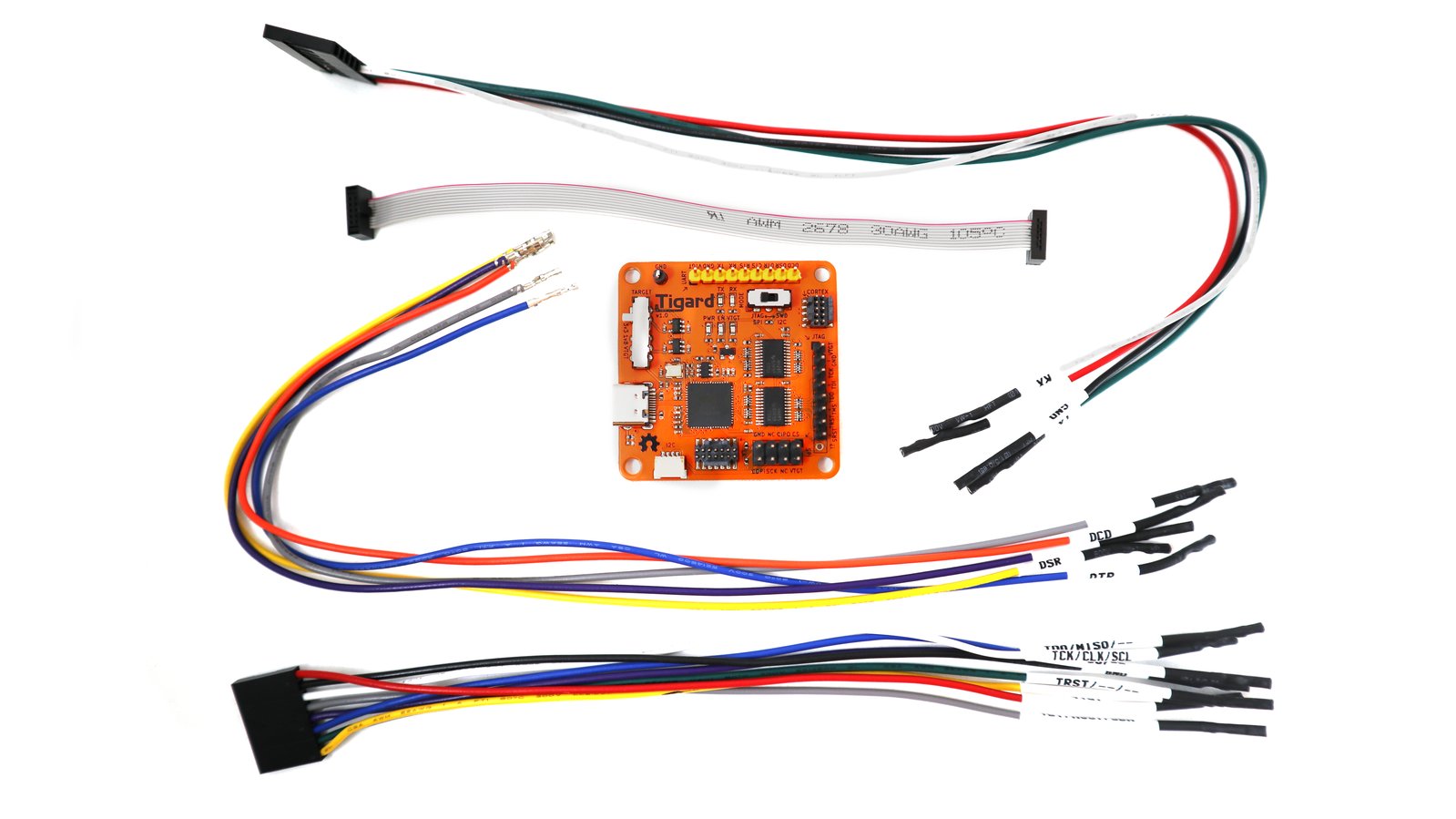
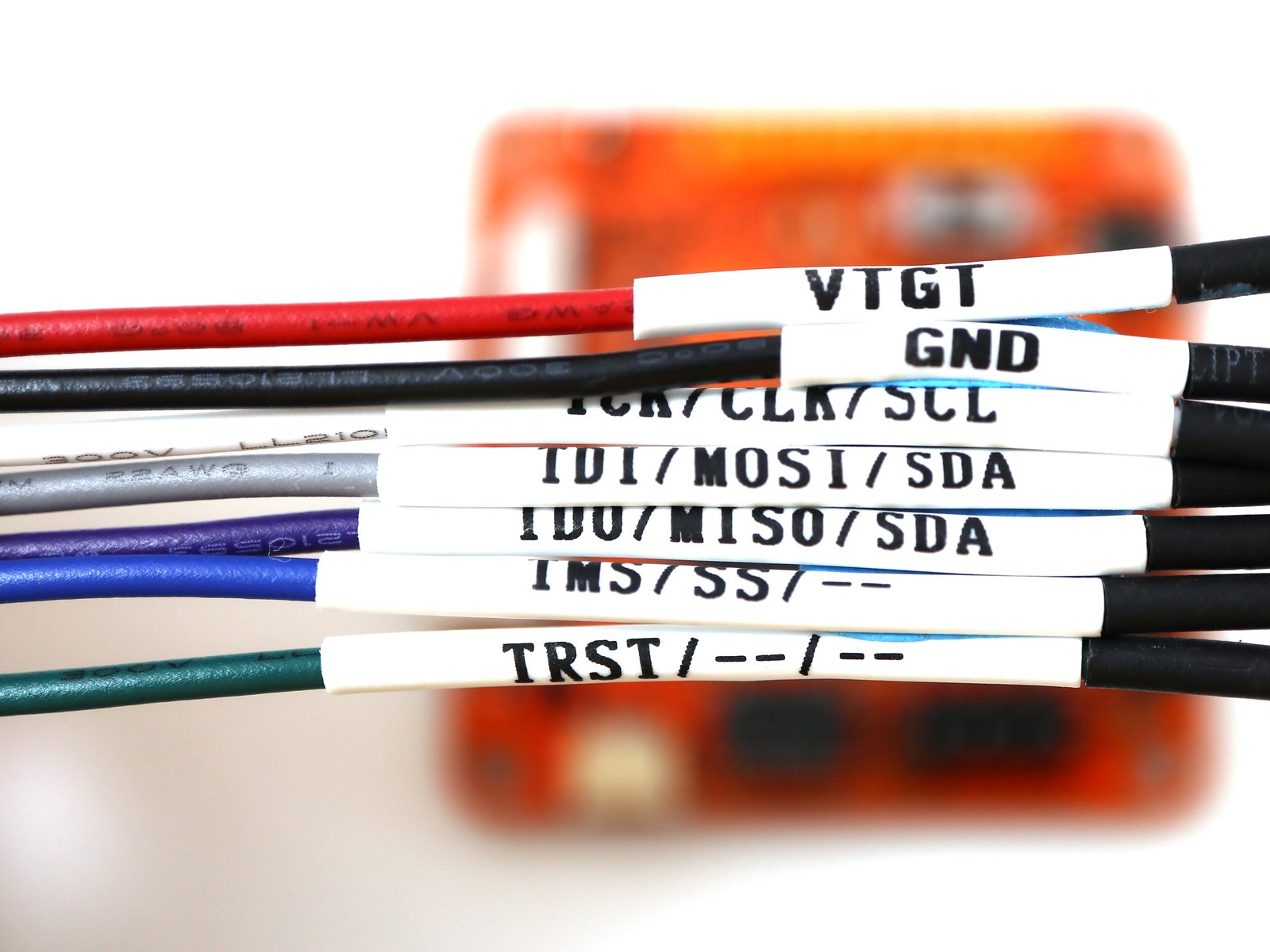
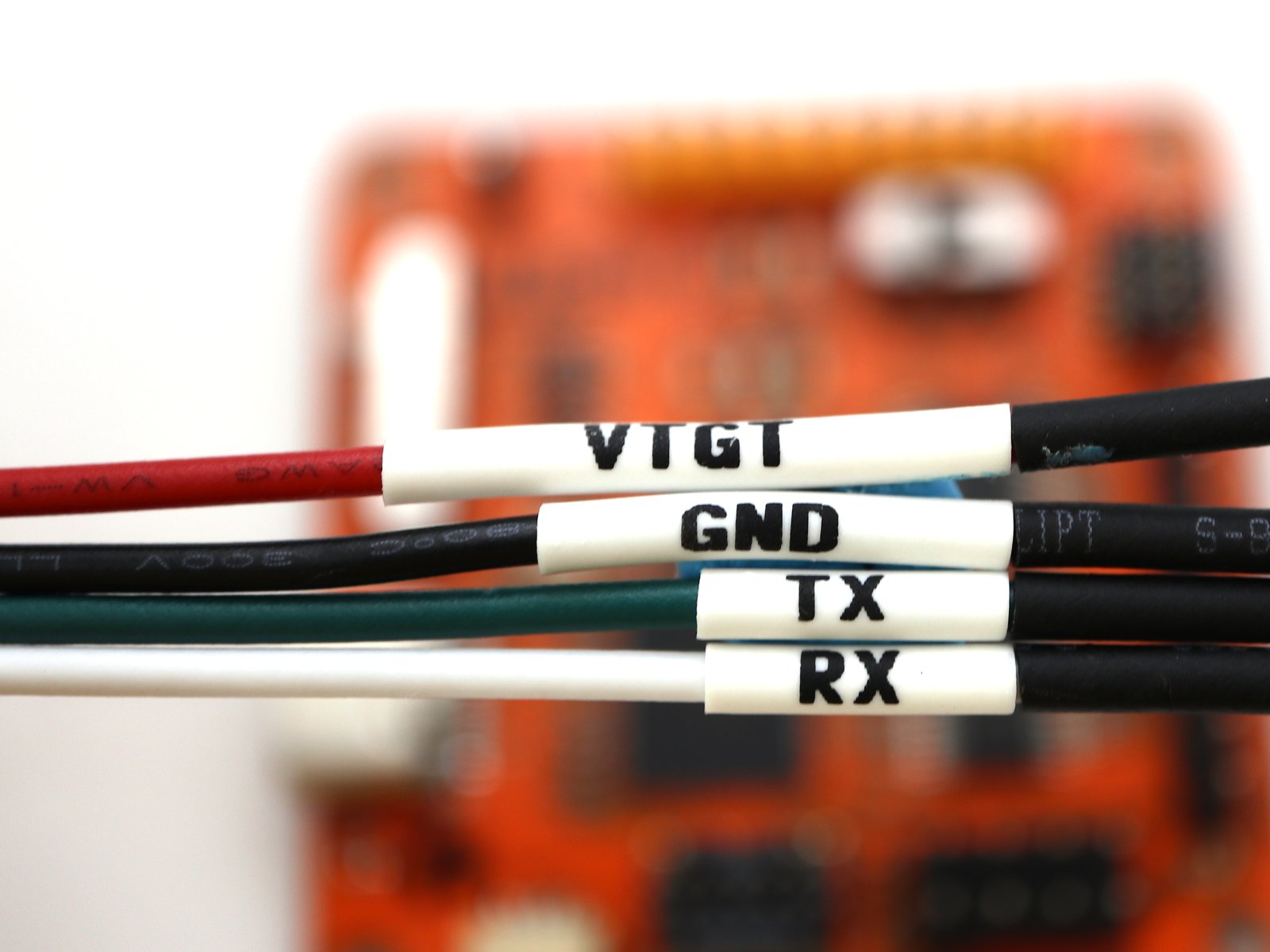
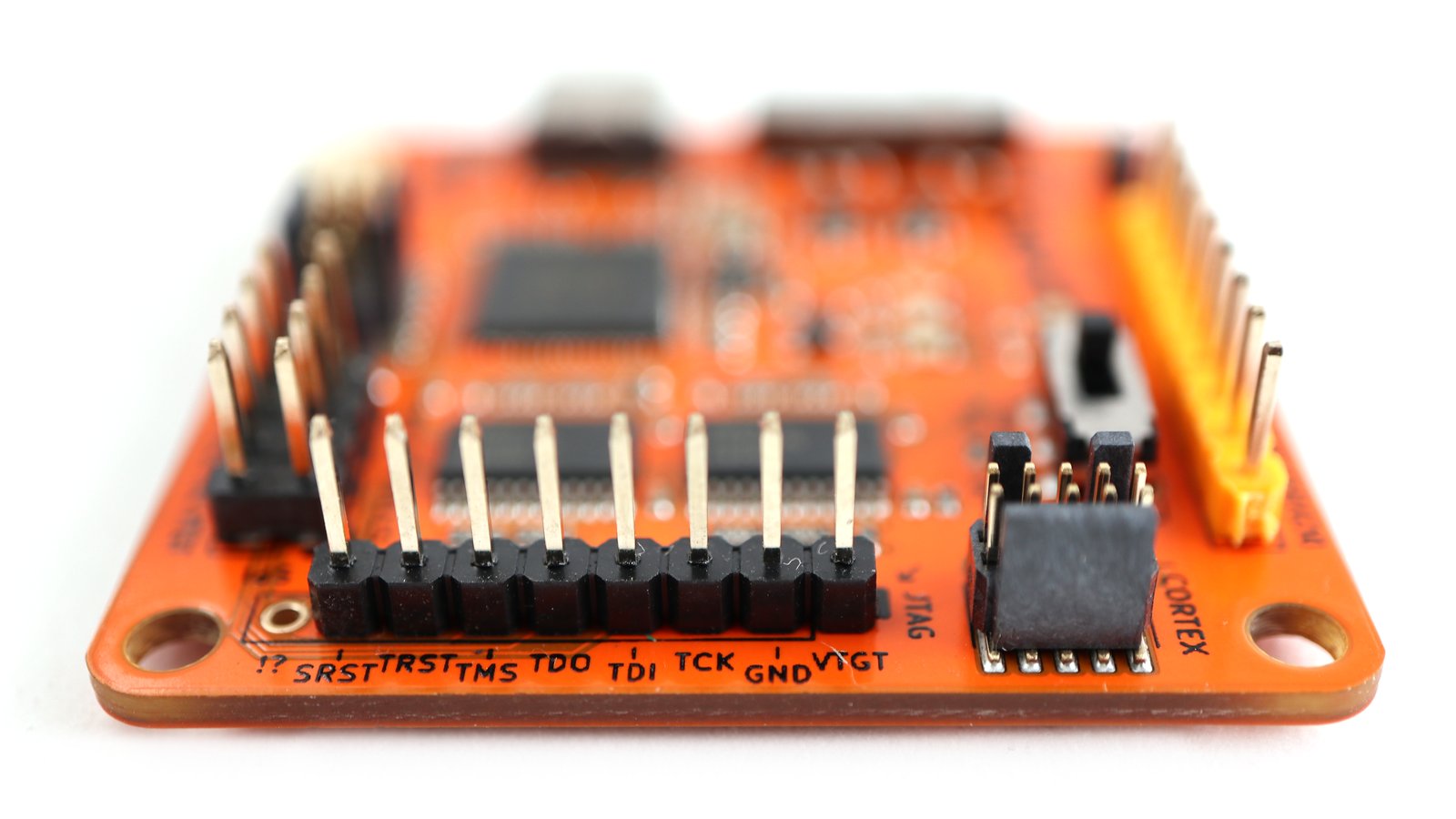
Tigard is an open source FT2232H-based, multi-protocol, multi-voltage tool for hardware hacking. By incorporating commonly used pin-outs, a labelled wiring harness, onboard level-shifting, and a logic analyzer connection, it is designed specifically for attaching to and communicating with low-speed interfaces on reverse-engineered hardware targets.
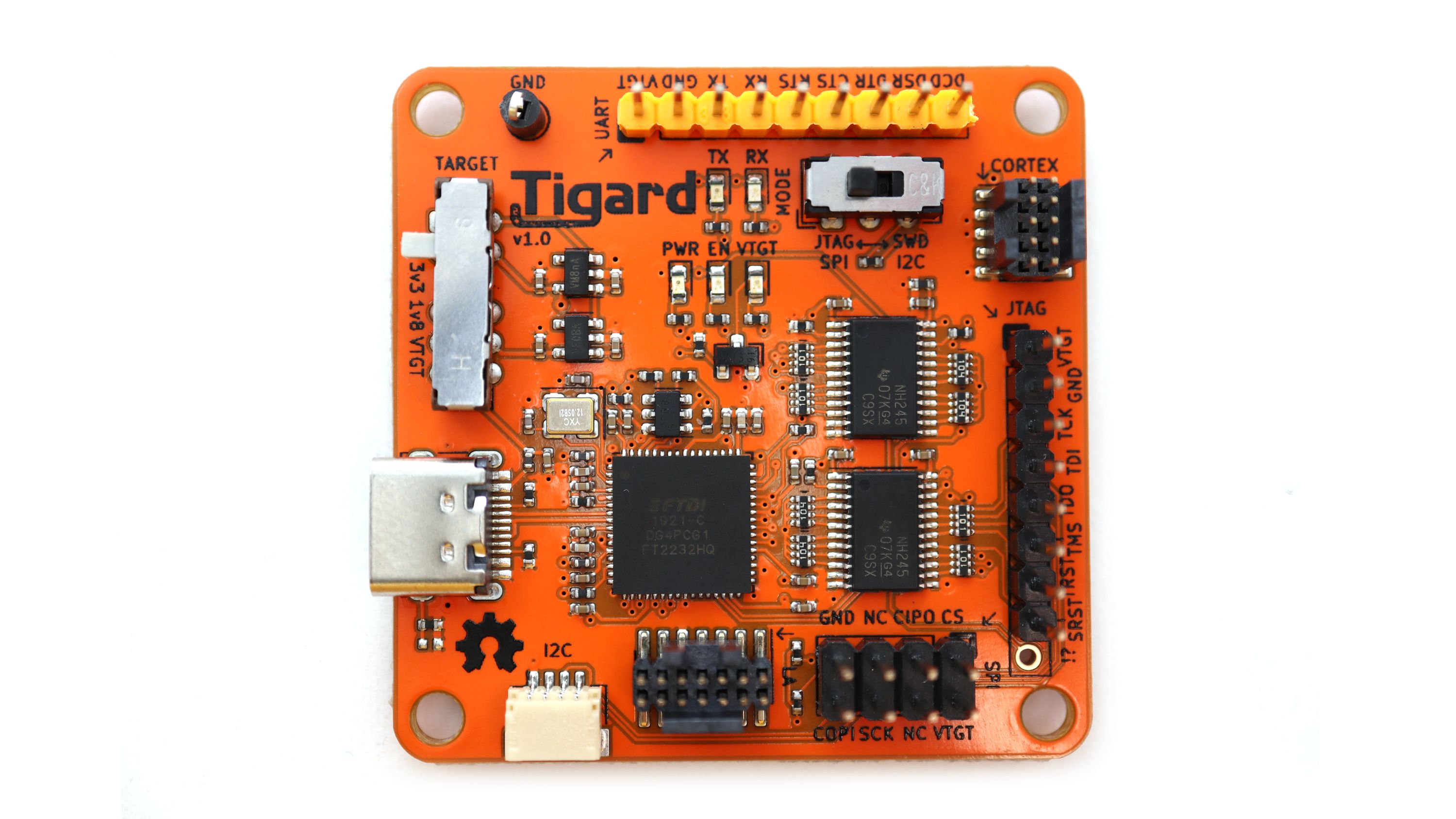
Tigard combines support for all of the most-used interfaces and most-needed features on to a simple board. As a drop-in replacement for dozens of other hardware tools based on FTDI chips, it has native support from a number of commonly used hardware tools like OpenOCD, FlashROM, and more.
There’s a wide range of more advanced hardware hacking tools available. Tigard serves as an excellent complement to these by supporting the 20% of the features that enable 80% of the common hardware hacking tasks involved with speaking various protocols. Whether you’re new to hardware hacking, or you just need a quick and simple solution, Tigard is designed to be the best first step – sometimes followed by a more capable tool, if needed.
Documentation and hardware files can be found in the Tigard Tools GitHub repository.
Features & Specifications
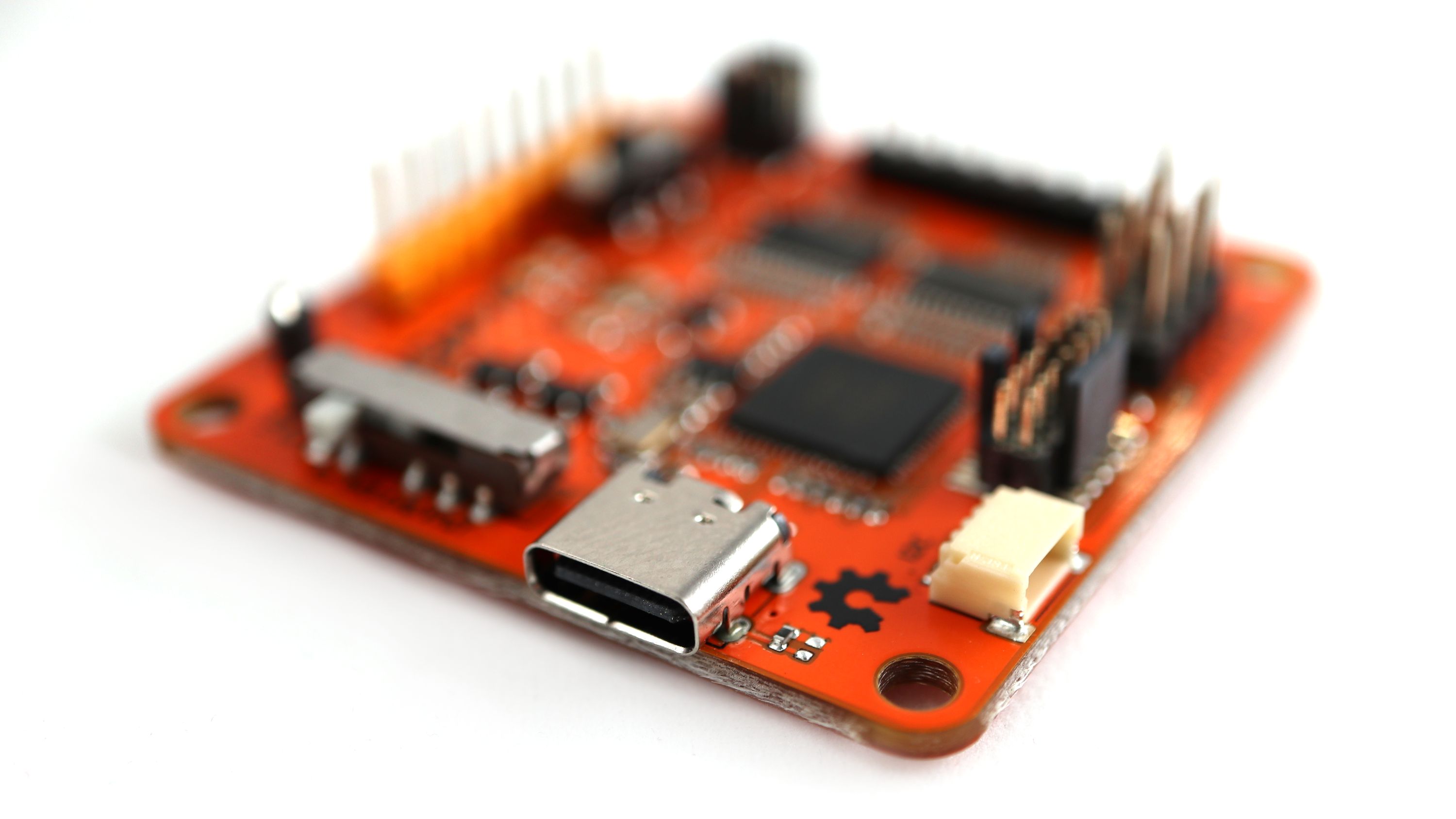
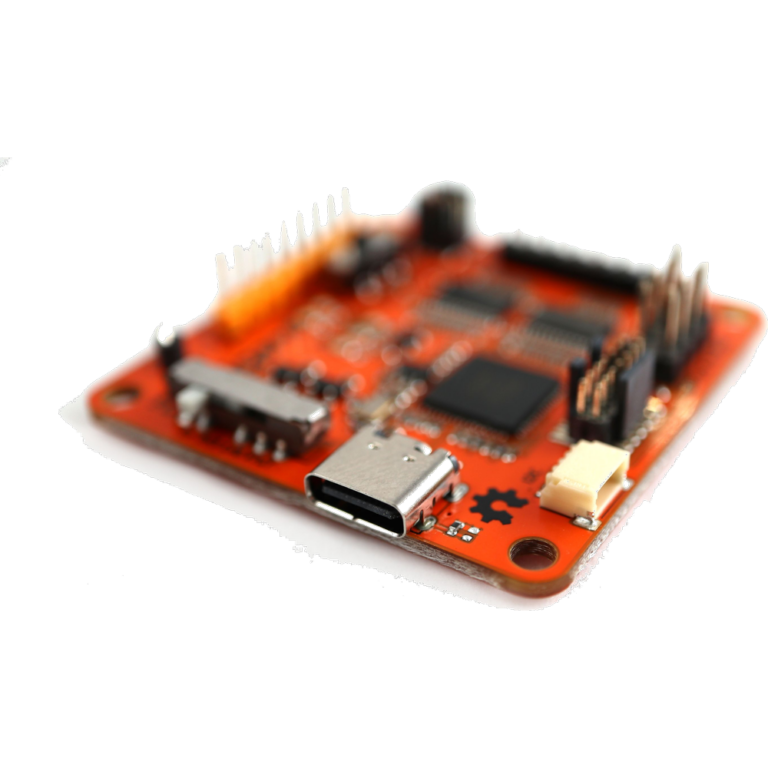
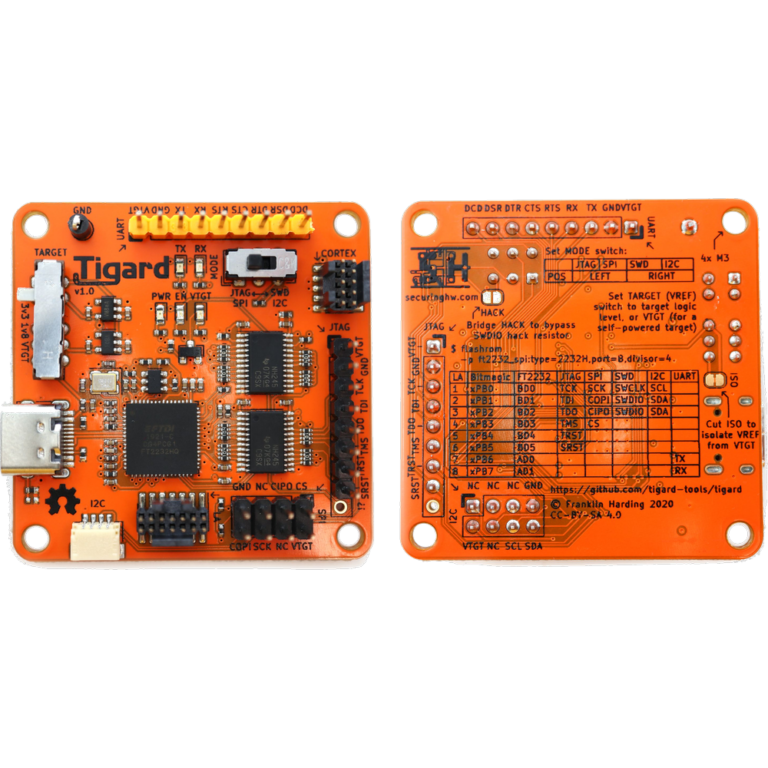
- USB Type C high-speed (480 Mbps) interface
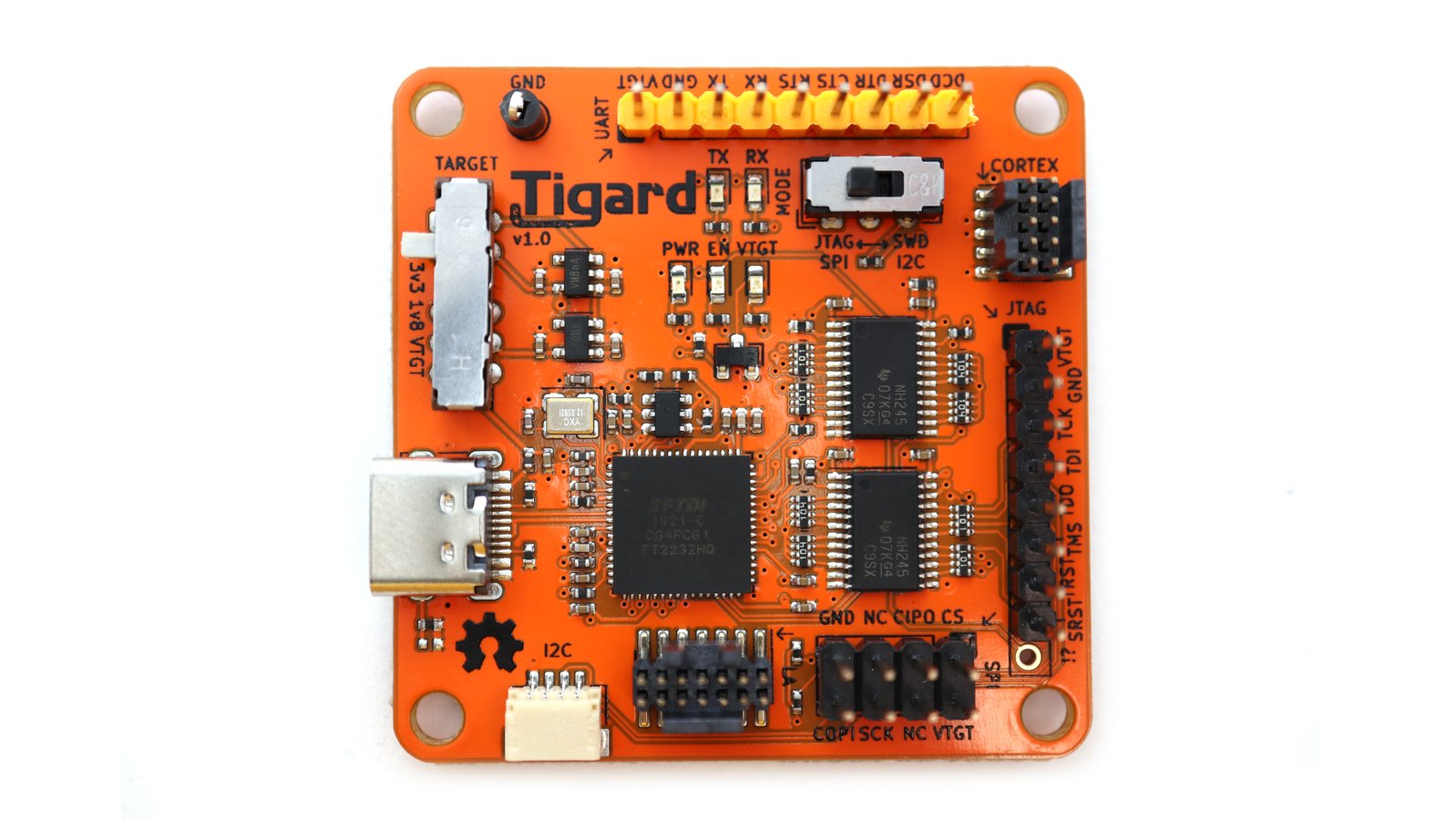
- FTDI FT2232HQ Dual High Speed USB to Multipurpose UART/FIFO IC
- Primary port dedicated to UART including access to all flow control signals
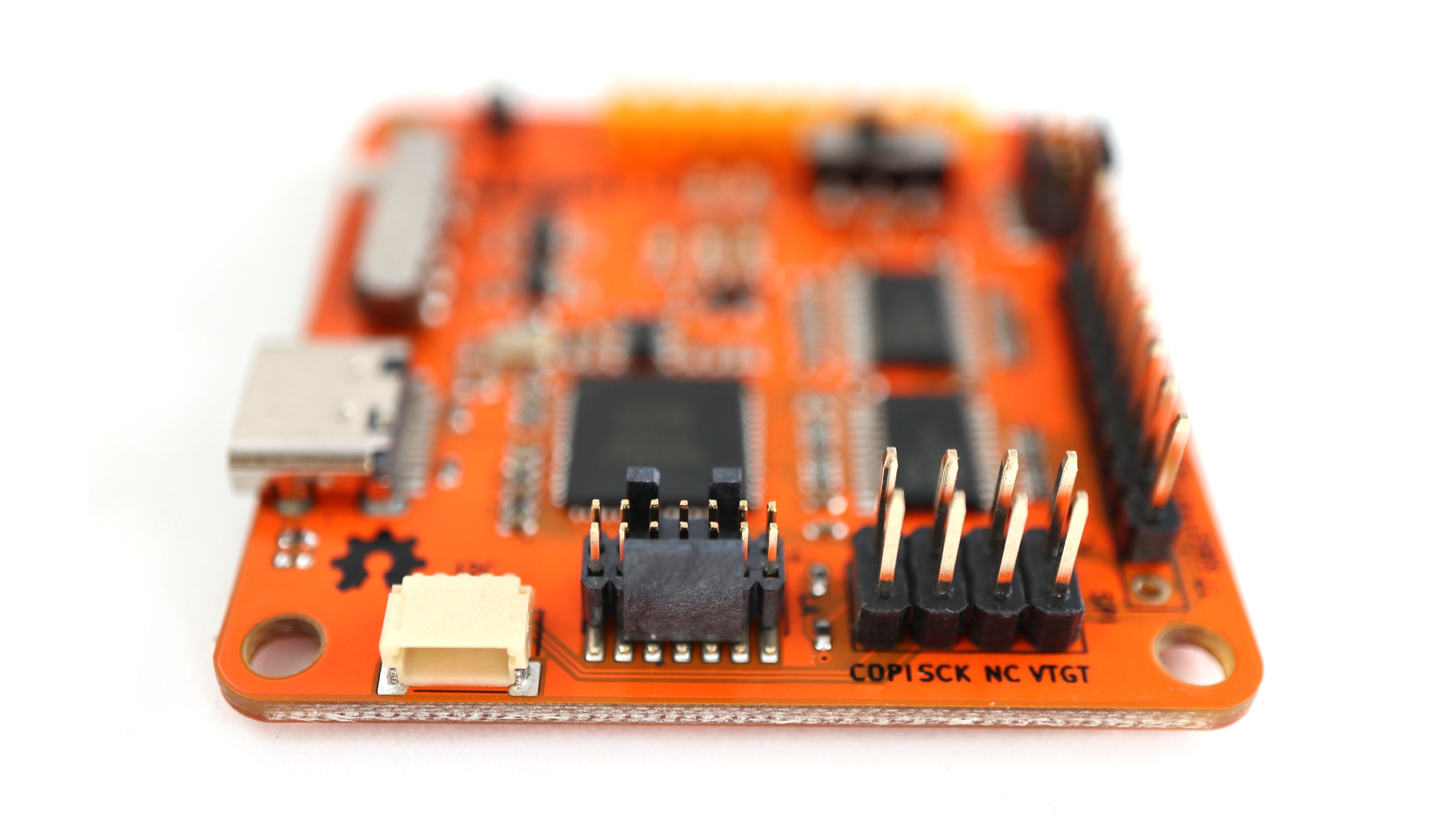
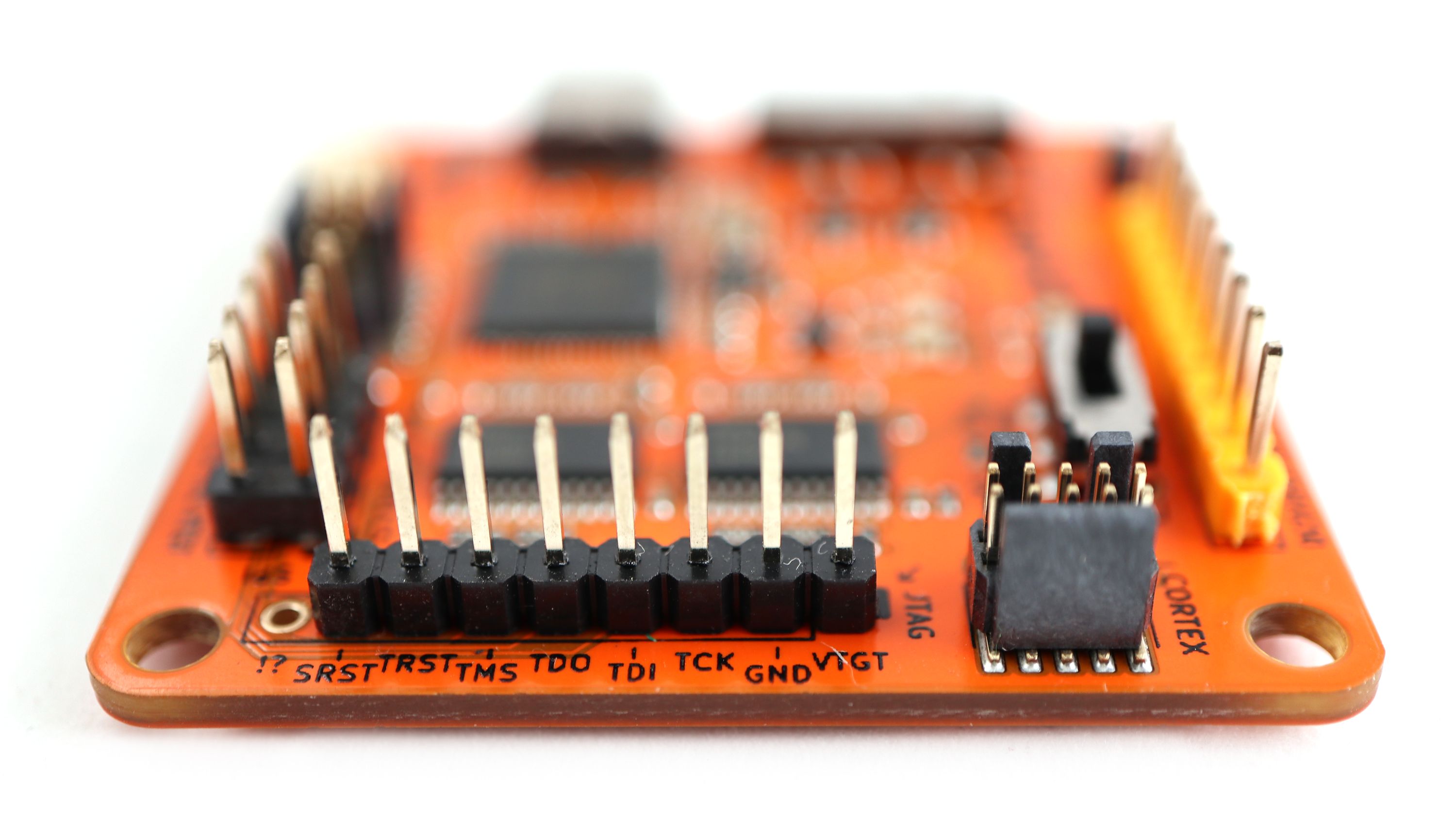
- Secondary port shared among dedicated headers for SWD, JTAG, SPI, and I²C
- High-performance directional level-shifters for 1.8 to 5.5 V operation
- Switch to choose between on-board 1.8 V, 3.3 V, 5.0 V, and off-board vTarget supplies
- Switch to choose between SPI/JTAG and I²C/SWD modes
- Logic analyzer (LA) port to observe device-level signals
- Indicator lights to aid debugging
Software Support
In general, Tigard was designed to work as-is with several tools and libraries that already support the x232H family of chips. This includes:
- USB-Serial drivers for UART access
- OpenOCD and UrJTAG for JTAG
- Flashrom, PyFtdi/PySpiFlash, LibMPSSE, and other tools for SPI interfaces
- LibMPSSE and PyFtdi/PyI2CFlash for I²C interfaces
Thanks to the drop-in compatibility with so many tools, there is no need for Tigard-specific tools to interface with any targets. If you do find the need to customize a tool or script using Tigard, it should work fine with any other FT2232H interface board.
Example Use Cases
- Attach to the serial console you find on a home automation device
- Dump the contents of a SPI flash chip inside of a set top box
- Use GDB over the JTAG pins to modify code in memory, allowing you to bypass a login prompt you’re connected to over the UART pins on a kid’s toy you’ve taken apart
- Use I²C to interact with an OLED display, while concurrently observing the transactions with a BitMagic logic analyzer over the LA port
Block Diagram

Comparison Table
| Tigard | C232HM Cable | UM232H-B | Adafruit FT232H | CJMCU FT232H | BusBlaster | BusPirate | Glasgow | |
|---|---|---|---|---|---|---|---|---|
| UART | Dedicated | Shared | Shared | Shared | Shared | With Gateware | Shared | With Gateware |
| SPI/JTAG | Dedicated | Shared | Shared | Shared | Shared | With Gateware | SLOW | With Gateware |
| I2C | Hard Switch | Add’l Parts | Add’l Parts | Hard Switch | Add’l Parts | With Gateware | Yes | With Gateware |
| SWD | Hard Switch | Add’l Parts | Add’l Parts | Add’l Parts | Add’l Parts | With Gateware | Yes | With Gateware |
| Headers | ALL, labeled | Loose Wires | wires/2.0 mm | I2C, Through Holes | Through Holes | Header, Generic | Header, Generic | Header, Generic |
| Level Shifting | 1.6-5.5 V | N | N | N | N | 1.5-3.3 V | 0.8-5 V, with effort | 1.8-5.4 V |
| USB | Type C | Type A | Type A | Type Micro-B | Type A | Type Mini-B | Type Mini-B | Type C |
| Open Hardware | Y | N | N | Y | N | Y | Y | Y |
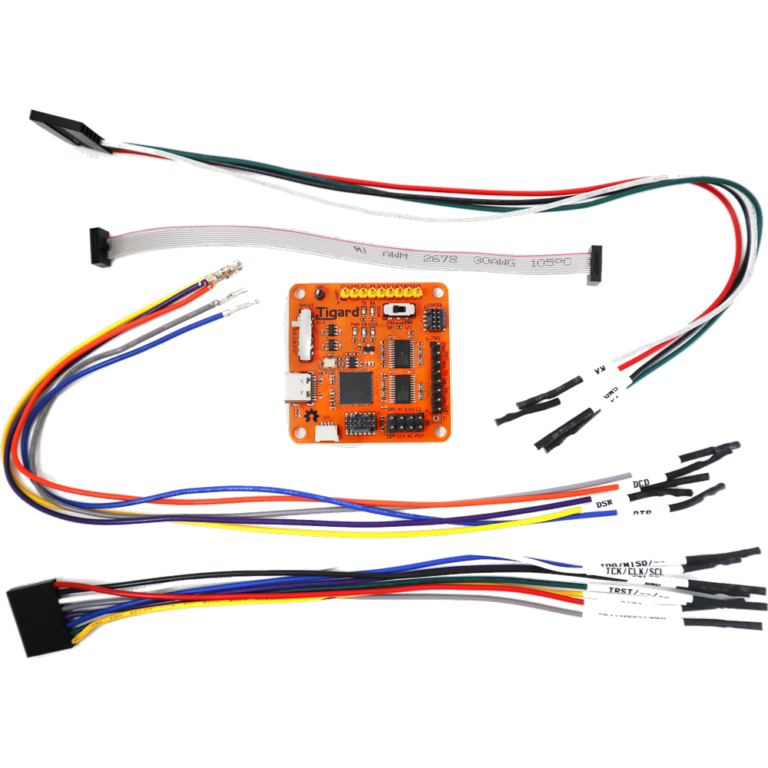
| Wire Harness | Included | Built-in | Varies | N | N | N | Additional | Additional |
| Cost | $45 | $43 | $16 | $15 | $9 | $35 | $27 | $?? |
Why does all this matter?
- Dedicated headers mean they can be used concurrently while Shared headers can only be used for one protocol at a time. Tigard has two independent interfaces.
- A Hard Switch can be flipped to switch to I2C/SWD mode, versus needing additional external components or gateware changes
- Labeled Headers remove much of the confusion and difficulty of quickly connecting to different interfaces.
- Loose Wires can be confusing to manage; Through Holes can be more flexible but mean you’ll likely need to solder pins or connectors to get up and running.
- Level Shifting allows you to interface with a wider range of targets – either using onboard level shifting or sensing target voltage
- USB Type A puts the device next to your computer, leaving you with long protocol wires prone to noise. USB Mini-B has been deprecated for a decade.
- Gateware means you need to provision a CPLD/FPGA; this adds incredible flexiblity at the cost of complexity. Tigard’s primary mission is to be simple — there are many advanced cases where Glasgow will be the much more capable tool.
Available Products
Tigard
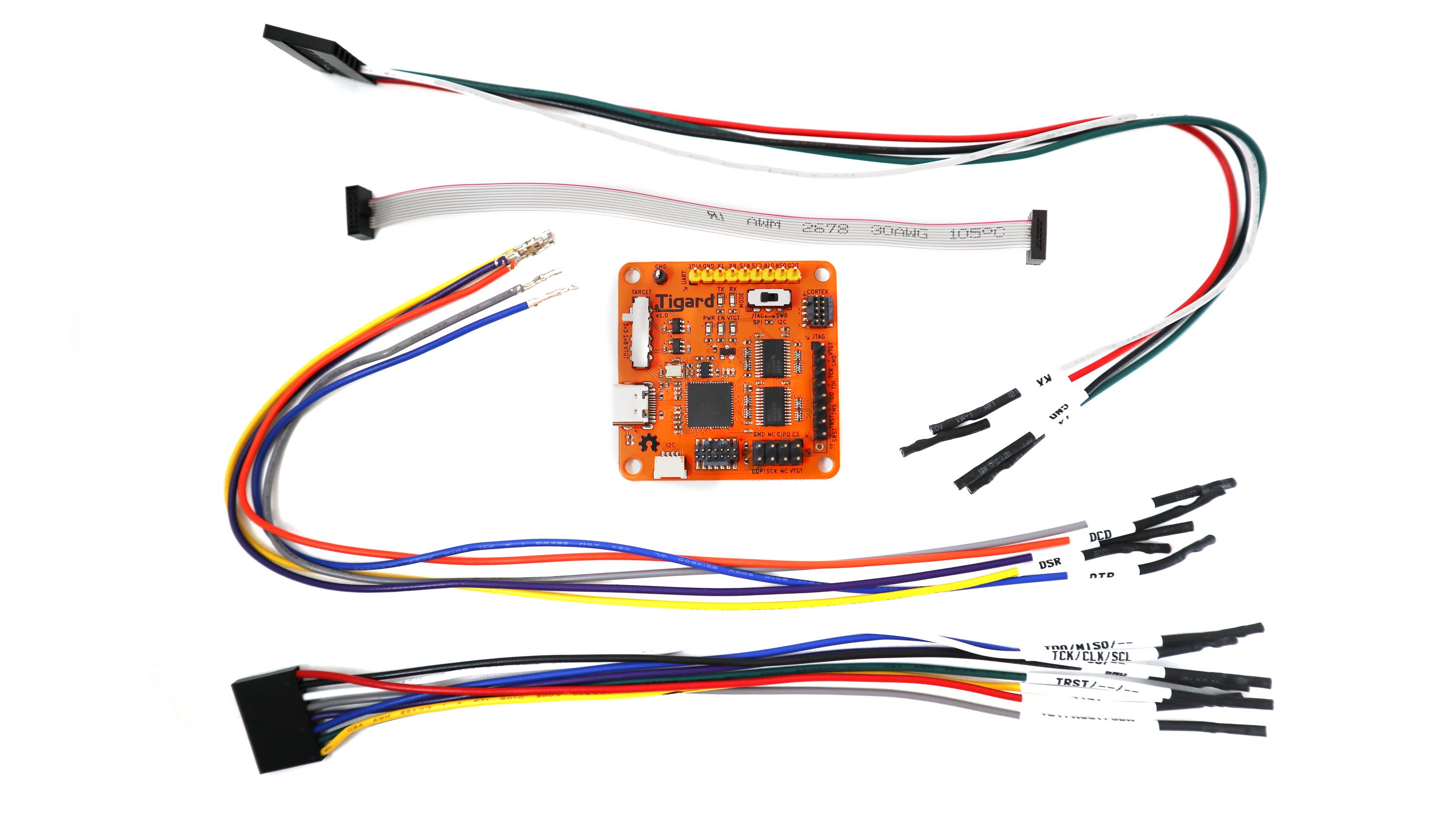
One open source FT2232H-based, multi-protocol, multi-voltage Tigard board for hardware hacking, with wiring harnesses included.
BitMagic
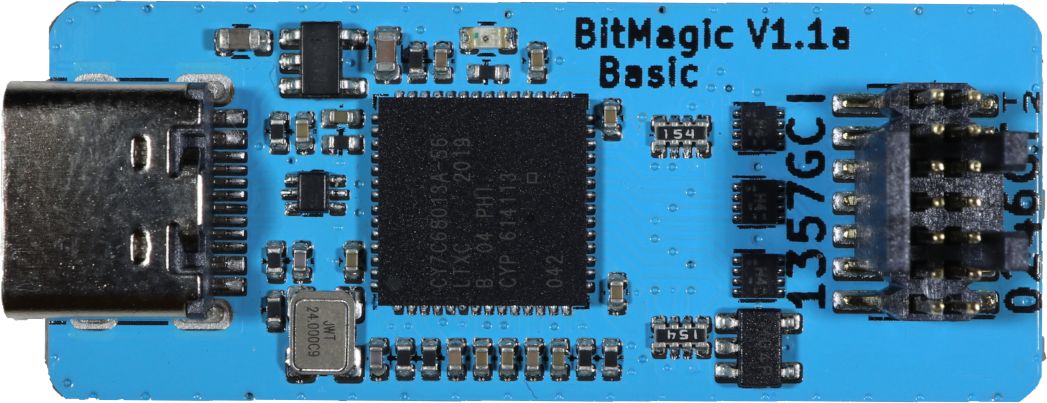
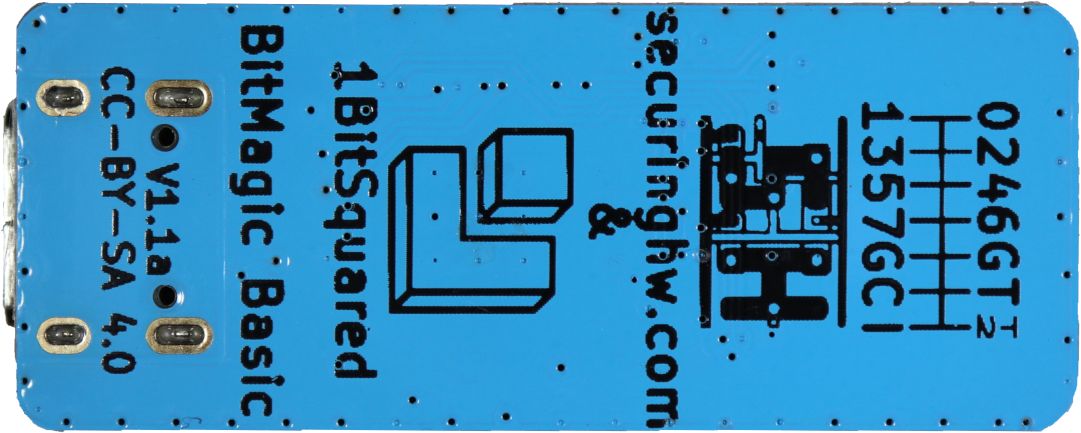
Combine Tigard with a BitMagic Basic Logic Analyzer for live debugging of serial protocols.
BitMagic Basic is an open hardware FX2-based logic analyzer. It’s designed specifically to work with the open source fx2lafw firmware and the open source Sigrok logic analyzer suite, including the Pulseview GUI.
BitMagic Basic supports eight channels sampled at up to 24 Msps. It works like any other logic analyzer and includes a labeled wiring harness so you can use it with any 2.54 mm pin headers or your favorite probe clips.
It also includes a 14-pin cable for connecting directly to Tigard. When it’s all wired up, you can use Pulseview to monitor all the communications between Tigard and your target system. This is helpful for debugging electrical, protocol, and signal integrity issues.
Applied Physical Attacks Online Kit
We’ve used a number of different tools for our own research as well as for our Applied Physical Attacks training, but none of them seemed to be just the right combination of features we need with the simplicity that we want. Tigard came about in order to create the tool we needed to teach the basics of hardware hacking on embedded and IoT systems.
Faced with a calendar free of travel and face-to-face training commitments, we used the time to design, build, and test Tigard, as well as bring our hands-on in-person training to a self-paced online format, updated to work with Tigard and BitMagic.
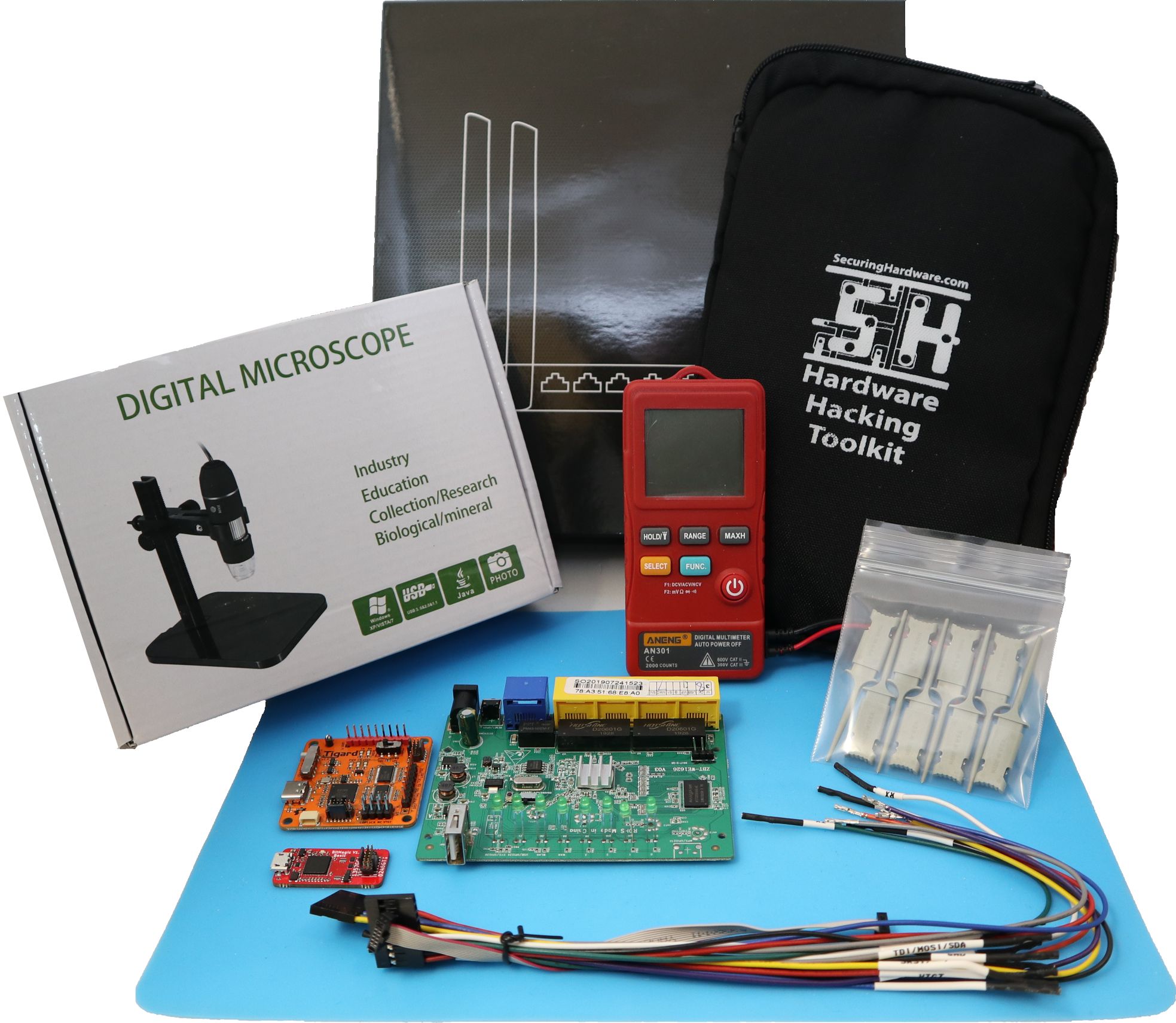
This kit includes:
- Tigard
- BitMagic Basic
- Wires, harnesses, clips, and connectors
- A simple multimeter
- An organizer pouch
- A USB microscope
- A prepared target system: a Linux-based Wi-Fi router
This kit goes hand-in-hand with online access to 3+ days of lectures, labs, and support that will guide you through the process of:
- Identifying and connecting to undocumented interfaces
- Accessing serial consoles to escalate and persist privilege
- Dump, analyze, emulate, and modify firmware in multiple ways
- Escalate privilege with a hardware debugger
Support & Documentation
Tigard was designed as a drop-in replacement for other FT232H-series devices. In general, there are zero software changes required for support, though customizing configuration files might be necessary.
This greatly simplifies the support requirements for Tigard, and allows easy A/B testing with other FT232H-series devices when potential issues arise.
The entire design is open hardware, designed in KiCad with a public git repository. The documentation covers using a variety of software tools to complete several common tasks with Tigard. Should you have difficulty, Tigard has LEDs that will assist in debugging your target, your protocol, and your software.
We’re putting the finishing touches on a free online training for some common uses for Tigard.
We’d love to hear what you’ve done with Tigard – let us know by submitting a field report to Crowd Supply so we can highlight all the cool uses you come up with.
In the Press




-
Description
A Simple, Open Source Tool for Hardware Hacking
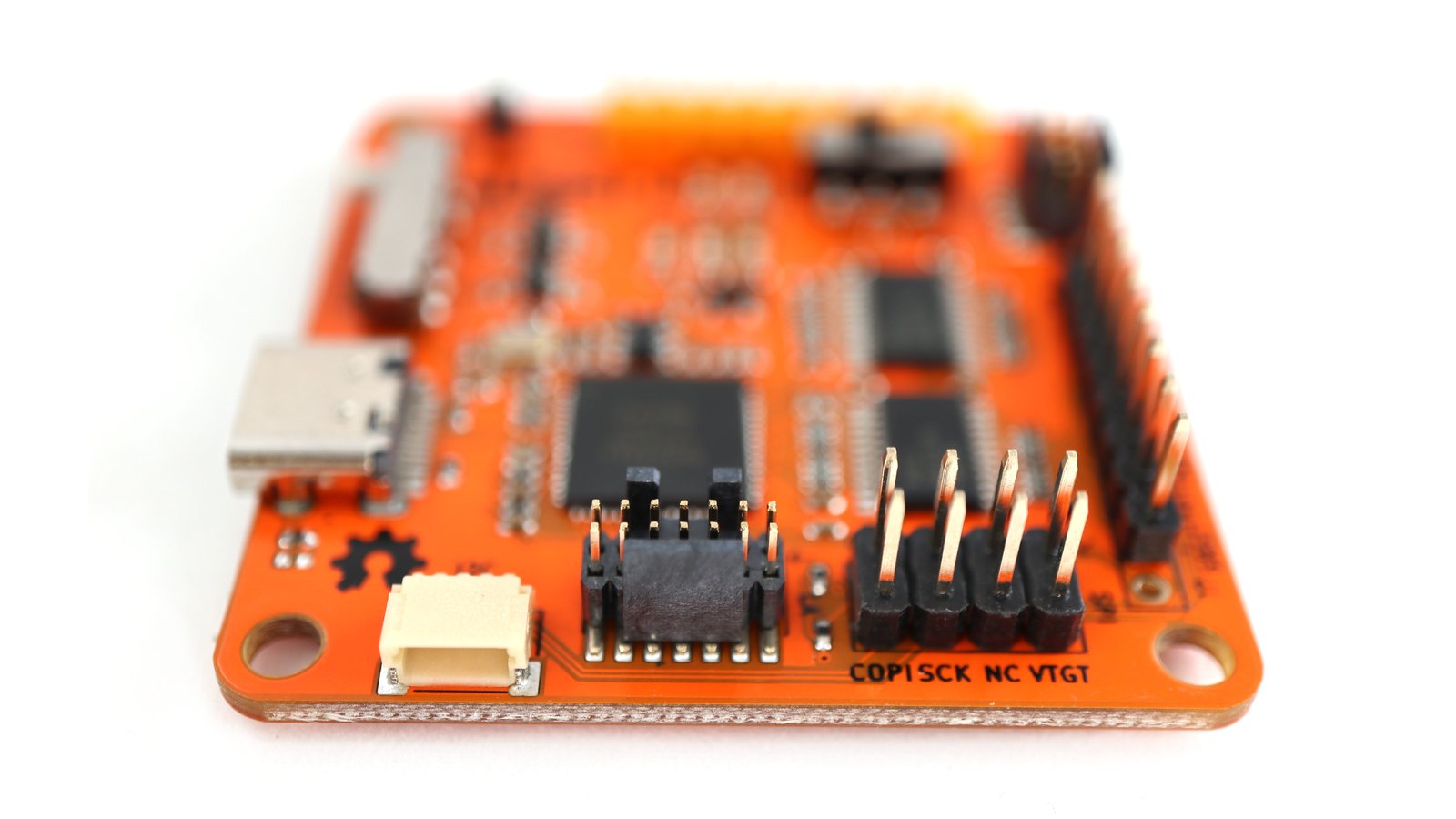
Tigard is an open source FT2232H-based, multi-protocol, multi-voltage tool for hardware hacking. By incorporating commonly used pin-outs, a labelled wiring harness, onboard level-shifting, and a logic analyzer connection, it is designed specifically for attaching to and communicating with low-speed interfaces on reverse-engineered hardware targets.
Tigard combines support for all of the most-used interfaces and most-needed features on to a simple board. As a drop-in replacement for dozens of other hardware tools based on FTDI chips, it has native support from a number of commonly used hardware tools like OpenOCD, FlashROM, and more.
There’s a wide range of more advanced hardware hacking tools available. Tigard serves as an excellent complement to these by supporting the 20% of the features that enable 80% of the common hardware hacking tasks involved with speaking various protocols. Whether you’re new to hardware hacking, or you just need a quick and simple solution, Tigard is designed to be the best first step – sometimes followed by a more capable tool, if needed.
Documentation and hardware files can be found in the Tigard Tools GitHub repository.
Features & Specifications
- USB Type C high-speed (480 Mbps) interface
- FTDI FT2232HQ Dual High Speed USB to Multipurpose UART/FIFO IC
- Primary port dedicated to UART including access to all flow control signals
- Secondary port shared among dedicated headers for SWD, JTAG, SPI, and I²C
- High-performance directional level-shifters for 1.8 to 5.5 V operation
- Switch to choose between on-board 1.8 V, 3.3 V, 5.0 V, and off-board vTarget supplies
- Switch to choose between SPI/JTAG and I²C/SWD modes
- Logic analyzer (LA) port to observe device-level signals
- Indicator lights to aid debugging
Software Support
In general, Tigard was designed to work as-is with several tools and libraries that already support the x232H family of chips. This includes:
- USB-Serial drivers for UART access
- OpenOCD and UrJTAG for JTAG
- Flashrom, PyFtdi/PySpiFlash, LibMPSSE, and other tools for SPI interfaces
- LibMPSSE and PyFtdi/PyI2CFlash for I²C interfaces
Thanks to the drop-in compatibility with so many tools, there is no need for Tigard-specific tools to interface with any targets. If you do find the need to customize a tool or script using Tigard, it should work fine with any other FT2232H interface board.
Example Use Cases
- Attach to the serial console you find on a home automation device
- Dump the contents of a SPI flash chip inside of a set top box
- Use GDB over the JTAG pins to modify code in memory, allowing you to bypass a login prompt you’re connected to over the UART pins on a kid’s toy you’ve taken apart
- Use I²C to interact with an OLED display, while concurrently observing the transactions with a BitMagic logic analyzer over the LA port
Block Diagram
Comparison Table
Tigard C232HM Cable UM232H-B Adafruit FT232H CJMCU FT232H BusBlaster BusPirate Glasgow UART Dedicated Shared Shared Shared Shared With Gateware Shared With Gateware SPI/JTAG Dedicated Shared Shared Shared Shared With Gateware SLOW With Gateware I2C Hard Switch Add’l Parts Add’l Parts Hard Switch Add’l Parts With Gateware Yes With Gateware SWD Hard Switch Add’l Parts Add’l Parts Add’l Parts Add’l Parts With Gateware Yes With Gateware Headers ALL, labeled Loose Wires wires/2.0 mm I2C, Through Holes Through Holes Header, Generic Header, Generic Header, Generic Level Shifting 1.6-5.5 V N N N N 1.5-3.3 V 0.8-5 V, with effort 1.8-5.4 V USB Type C Type A Type A Type Micro-B Type A Type Mini-B Type Mini-B Type C Open Hardware Y N N Y N Y Y Y Wire Harness Included Built-in Varies N N N Additional Additional Cost $45 $43 $16 $15 $9 $35 $27 $?? Why does all this matter?
- Dedicated headers mean they can be used concurrently while Shared headers can only be used for one protocol at a time. Tigard has two independent interfaces.
- A Hard Switch can be flipped to switch to I2C/SWD mode, versus needing additional external components or gateware changes
- Labeled Headers remove much of the confusion and difficulty of quickly connecting to different interfaces.
- Loose Wires can be confusing to manage; Through Holes can be more flexible but mean you’ll likely need to solder pins or connectors to get up and running.
- Level Shifting allows you to interface with a wider range of targets – either using onboard level shifting or sensing target voltage
- USB Type A puts the device next to your computer, leaving you with long protocol wires prone to noise. USB Mini-B has been deprecated for a decade.
- Gateware means you need to provision a CPLD/FPGA; this adds incredible flexiblity at the cost of complexity. Tigard’s primary mission is to be simple — there are many advanced cases where Glasgow will be the much more capable tool.
Available Products
Tigard
One open source FT2232H-based, multi-protocol, multi-voltage Tigard board for hardware hacking, with wiring harnesses included.
BitMagic
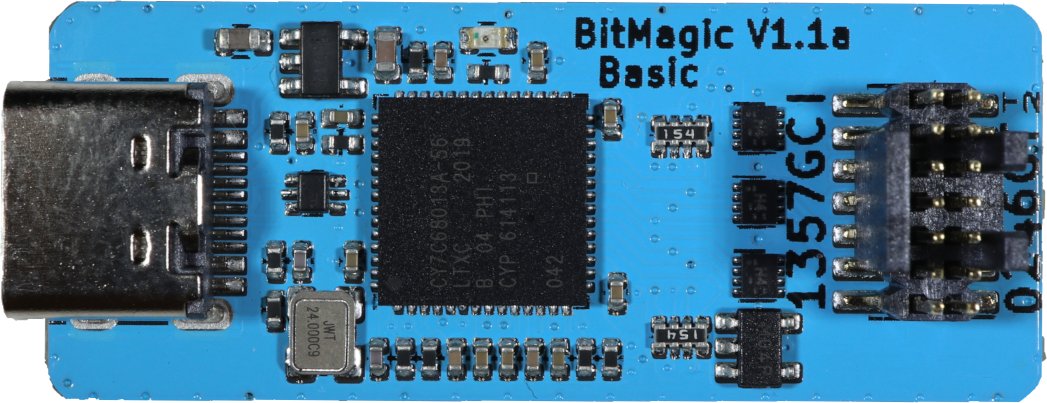
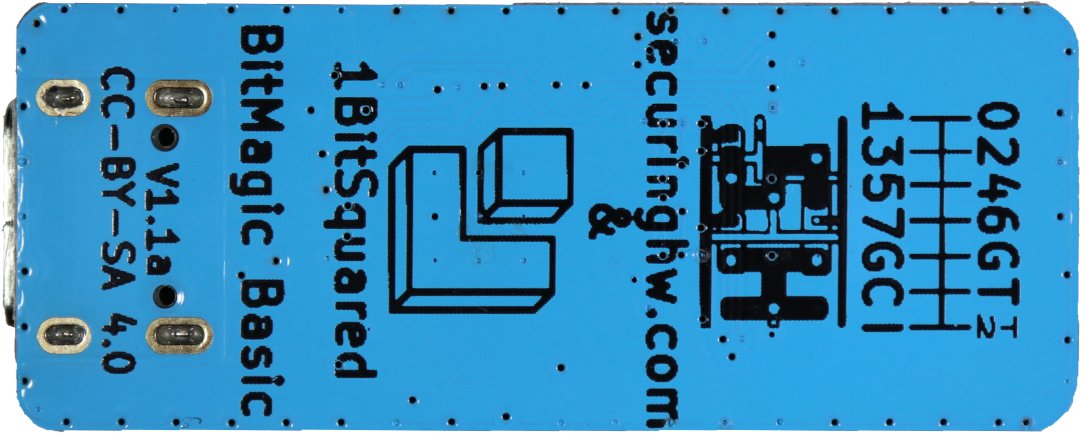
Combine Tigard with a BitMagic Basic Logic Analyzer for live debugging of serial protocols.
BitMagic Basic is an open hardware FX2-based logic analyzer. It’s designed specifically to work with the open source fx2lafw firmware and the open source Sigrok logic analyzer suite, including the Pulseview GUI.
BitMagic Basic supports eight channels sampled at up to 24 Msps. It works like any other logic analyzer and includes a labeled wiring harness so you can use it with any 2.54 mm pin headers or your favorite probe clips.
It also includes a 14-pin cable for connecting directly to Tigard. When it’s all wired up, you can use Pulseview to monitor all the communications between Tigard and your target system. This is helpful for debugging electrical, protocol, and signal integrity issues.
Applied Physical Attacks Online Kit
We’ve used a number of different tools for our own research as well as for our Applied Physical Attacks training, but none of them seemed to be just the right combination of features we need with the simplicity that we want. Tigard came about in order to create the tool we needed to teach the basics of hardware hacking on embedded and IoT systems.
Faced with a calendar free of travel and face-to-face training commitments, we used the time to design, build, and test Tigard, as well as bring our hands-on in-person training to a self-paced online format, updated to work with Tigard and BitMagic.
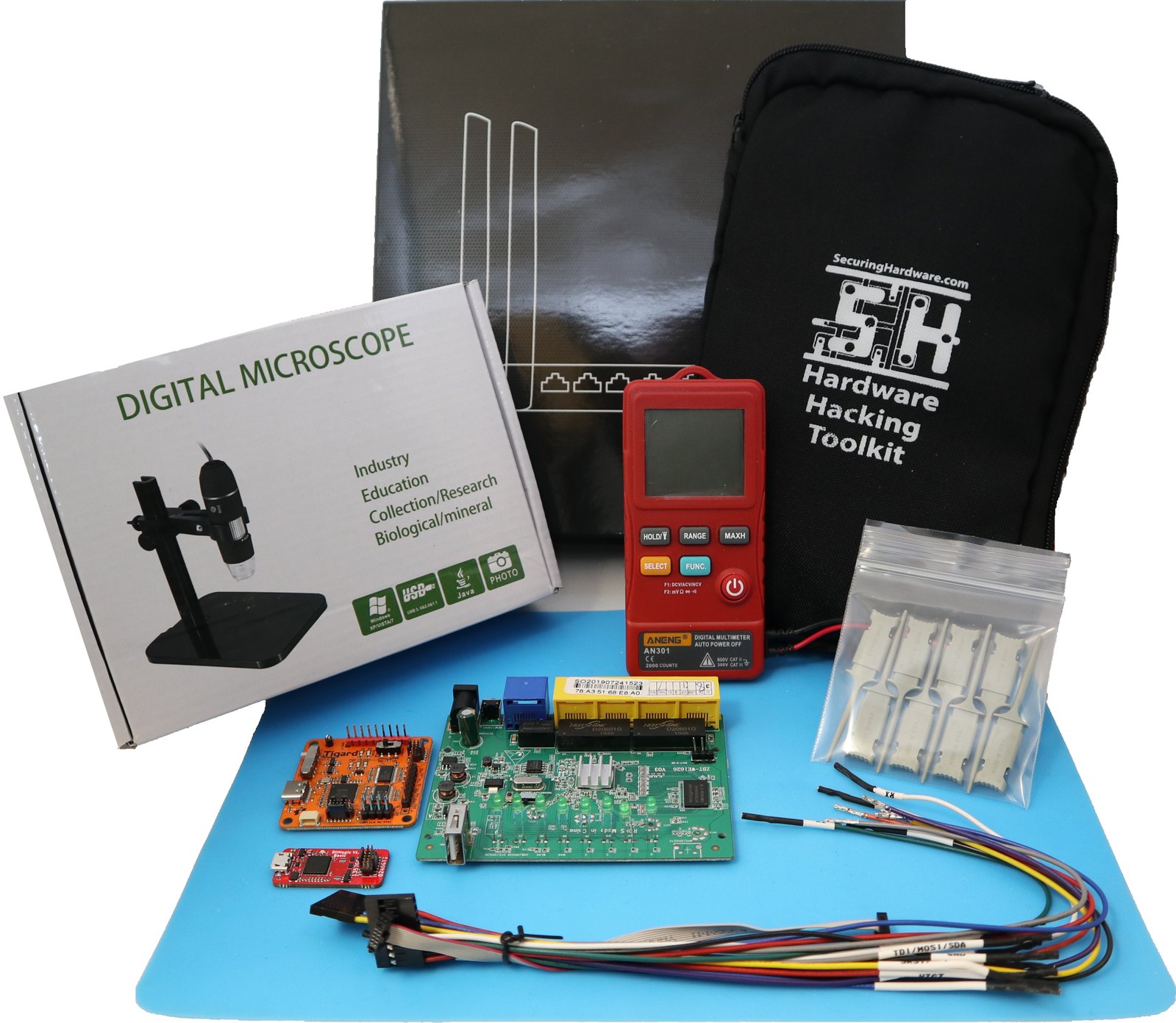
This kit includes:
- Tigard
- BitMagic Basic
- Wires, harnesses, clips, and connectors
- A simple multimeter
- An organizer pouch
- A USB microscope
- A prepared target system: a Linux-based Wi-Fi router
This kit goes hand-in-hand with online access to 3+ days of lectures, labs, and support that will guide you through the process of:
- Identifying and connecting to undocumented interfaces
- Accessing serial consoles to escalate and persist privilege
- Dump, analyze, emulate, and modify firmware in multiple ways
- Escalate privilege with a hardware debugger
Support & Documentation
Tigard was designed as a drop-in replacement for other FT232H-series devices. In general, there are zero software changes required for support, though customizing configuration files might be necessary.
This greatly simplifies the support requirements for Tigard, and allows easy A/B testing with other FT232H-series devices when potential issues arise.
The entire design is open hardware, designed in KiCad with a public git repository. The documentation covers using a variety of software tools to complete several common tasks with Tigard. Should you have difficulty, Tigard has LEDs that will assist in debugging your target, your protocol, and your software.
We’re putting the finishing touches on a free online training for some common uses for Tigard.
We’d love to hear what you’ve done with Tigard – let us know by submitting a field report to Crowd Supply so we can highlight all the cool uses you come up with.
In the Press
-
Reviews (0)
Reviews
There are no reviews yet.

Available on backorder

Available on backorder

Available on backorder


Available on backorder


Reviews
There are no reviews yet.